


Plate Processing Company
How AutoCAD Improves Precision in Steel Plate Drilling Projects
How AutoCAD Improves Precision in Steel Plate Drilling Projects
Steel plate drilling needs very high accuracy. Holes must be in the right place. Sizes must be correct. Even a small mistake can stop parts from fitting together.
This is why many teams use AutoCAD before they start steel plate drilling in Houston.
AutoCAD helps workers plan the job clearly before they drill a single hole.
Clear Drawings Mean Fewer Mistakes
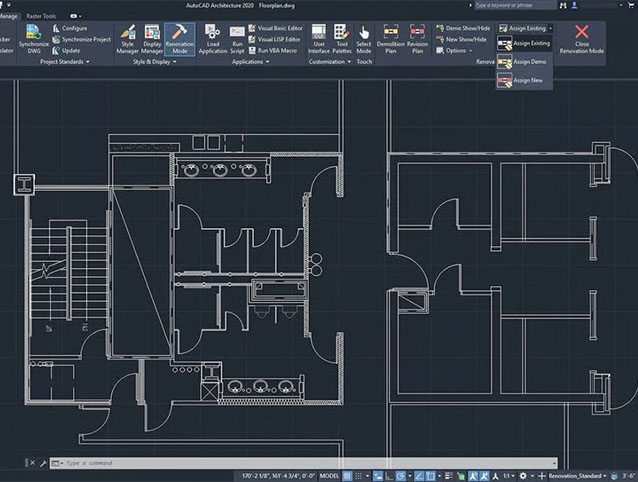
AutoCAD creates clean and easy drawings. Every hole, line, and space is shown clearly on the screen.
Workers can see:
- Exact hole positions
- Distance between holes
- Plate size and thickness
- Special patterns
When drawings are clear, drilling becomes easier. Good planning improves steel plate drilling in Houston and reduces costly errors.
Exact Measurements Every Time
AutoCAD gives very accurate measurements. It shows numbers down to tiny details.
This helps teams drill holes in the exact spot. Parts fit together better. Projects move faster.
Without clear measurements, workers may guess. Guessing causes mistakes. Using AutoCAD keeps steel plate drilling in Houston precise and reliable.
Easy Changes Before Drilling Starts
Sometimes customers need small changes. Maybe they want a hole moved or a plate resized.
With AutoCAD, teams can change the drawing quickly. They do not need to redo the whole job. They fix the plan first.
Making changes early saves time and keeps steel plate drilling in Houston smooth and stress-free.
Better Team Communication
AutoCAD drawings are easy to share. Engineers, machine operators, and customers can all see the same plan.
This helps everyone understand the job clearly. No confusion. No wrong drilling.
Good communication improves the quality of steel plate drilling in Houston and keeps projects on track.
Works Well with Modern Machines
Many drilling machines follow digital designs. AutoCAD drawings can connect with these machines.
This means the machine drills exactly where the drawing says. The result is clean and accurate holes.
Using AutoCAD with modern tools makes steel plate drilling in Houston faster and more dependable.
Saves Time and Money
Mistakes in drilling cost money. Wrong holes may mean new plates, more labor, and project delays.
AutoCAD helps avoid these problems. When plans are correct, drilling is correct.
That is why companies rely on AutoCAD for better steel plate drilling in Houston. Good planning saves both time and money.
Helps with Complex Projects
Some steel plates need many holes or special patterns. Doing this without a proper plan is very hard.
AutoCAD shows every detail clearly. Even complex designs become easy to follow.
This makes steel plate drilling in Houston possible even for large and difficult projects.
Simple Idea, Big Results
AutoCAD is just a planning tool, but it makes a big difference. It helps workers measure right, drill right, and finish work faster.
When AutoCAD is used, steel plates come out correct the first time. Projects stay on schedule. Quality stays high.
That is why AutoCAD plays such an important role in modern steel plate drilling in Houston.
Frequently Asked Questions
1. Why is AutoCAD used before steel plate drilling?
AutoCAD makes drawings that are easy to read and have exact measurements. This helps workers drill holes in the right places and avoid making mistakes when drilling steel plates in Houston.
2. Can AutoCAD help with complex drilling projects?
Yes. AutoCAD shows detailed designs and hole patterns. It makes difficult jobs easier and more accurate.
3. Does AutoCAD save time in steel plate drilling?
Yes. Drilling goes smoothly when the plans are right. This cuts down on mistakes, having to redo work, and delays in drilling steel plates in Houston.